The 20-minute AI tool audit: inventory, cost, and value
You are probably paying for AI tools you forgot you bought.
Not the unapproved ones hiding in personal accounts. Those need their own Shadow AI discovery. This audit covers the tools you already know about: the subscriptions on your invoices, the licenses in your software stack, the seats someone signed up for last quarter. Twenty minutes and a spreadsheet will tell you where the money is going and where it is wasted.
Why a 20-minute audit beats guessing
Guessing at AI spend costs you twice. You pay for tools you do not use, and you pay again when two people buy the same thing the business already covers.
An inventory catches both. It takes less time than the meeting you would call to discuss it. You cannot cut spend you cannot see, so the first job is always visibility.
The spreadsheet setup
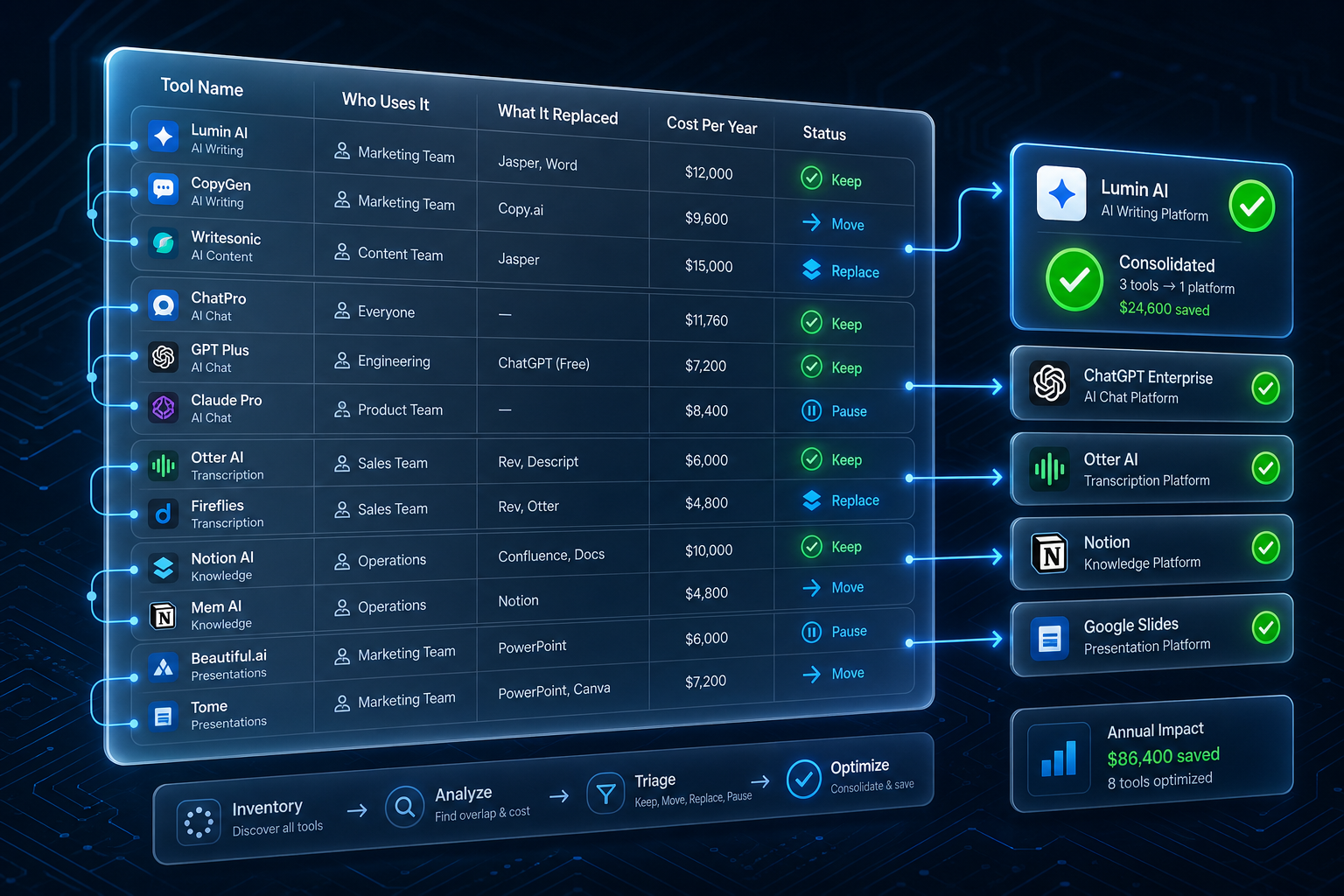
Open a spreadsheet. Five columns. Two minutes to build.
- Tool — ChatGPT, Claude, Gemini, Copilot, Notion AI, and anything else.
- Who uses it — a name or a role.
- What it replaced — the task or tool this took over. If it is new, name the problem it solves.
- Cost per year — annual price. Multiply monthly plans by twelve. Write "Free" if it costs nothing.
- Status — leave blank. You fill this in last.
One row per tool. That is the whole instrument.
The three-step audit
Work the columns in three timed passes.
Collect, minutes 0 to 7. Walk your finance system, your card statements, and your app subscriptions. List every AI tool the business pays for or uses. If you are unsure whether someone still uses it, add it anyway and verify later.
Add context, minutes 7 to 15. Fill in who uses each tool, what it replaced, and the annual cost. Patterns surface fast: two tools doing one job, a plan nobody activated, one person quietly running a workflow the whole team needs.
Triage, minutes 15 to 20. Mark each row with one status: Keep, Move, Replace, or Pause. Keep what earns its cost. Move what sits on a personal card onto a business account. Replace overlapping tools with one. Pause anything with low use or an unclear purpose, then watch for 30 days.
What the audit usually finds
Three findings show up in almost every small business.
Redundancy. One person holds two subscriptions that do the same job, or the team buys individual seats while a company license sits unused.
Tier creep. You bought the annual plan and the higher tier, then used neither. A few dollars per seat compounds across a year.
Orphaned tooling. A tool bought for one project still bills monthly long after the project closed. Pause it. If nobody complains in 30 days, cancel it.
From audit to action
Pick the single biggest finding and act on it this week. Cancel one redundant subscription. Move one login to a business account. Consolidate two tools into one.
That one action proves the audit produced a decision, not a spreadsheet in a folder. Then repeat the exercise each quarter as renewals come due. You get faster, and the team starts flagging waste before you ask.
Keep exploring
A 20-minute audit is the opening move; for the full picture of tools, cost, and ownership, start the AI Readiness Audit or contact FIT. If the exercise surfaced tools you never approved, Shadow AI discovery is the natural next step.