Prompting That Produces Clean, Usable Output
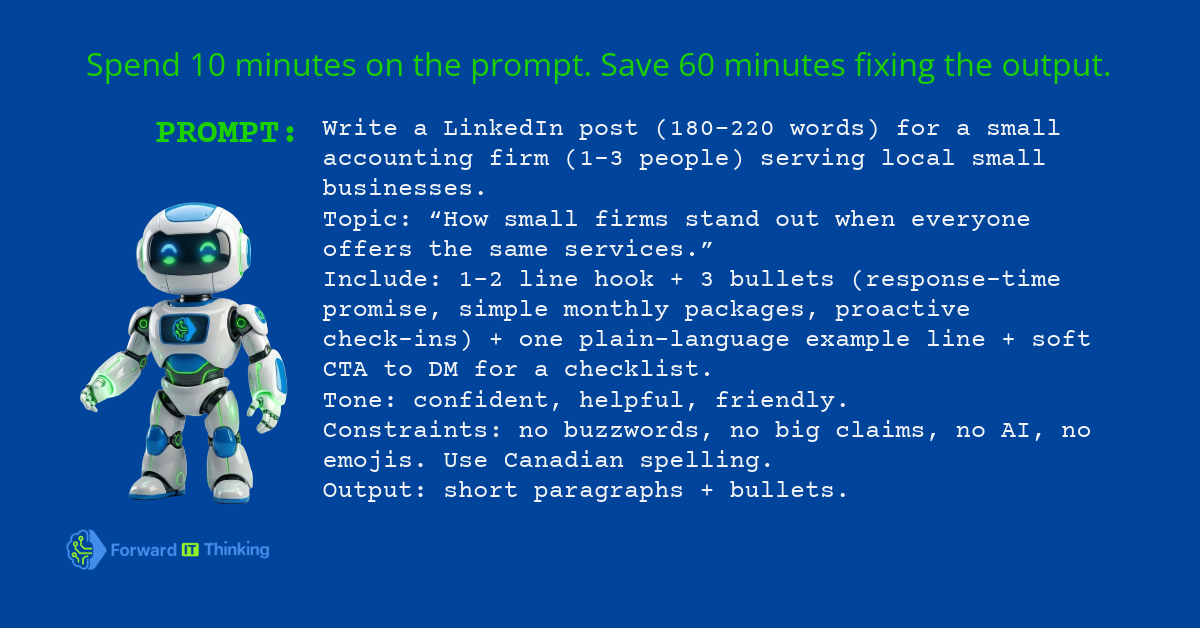
Most people don't get bad AI — they get vague prompts. This post gives you a practical prompting method that consistently produces usable output in the format you actually need.
AI That Actually Works — 3-Part Series
Part 2 of 3 · Part 1: Choosing the Right AI Model · Part 2: Prompting That Produces Clean Output (you are here) · Part 3: How to Consume AI Output
A bad prompt doesn't produce bad AI — it produces generic AI. The model gives you what the average person asking that question would want. If you're not the average person, you get output you have to rewrite. The fix is almost never a better model. It's a better prompt.
The FIT Prompt Recipe
Every prompt that consistently produces clean, usable output has six components. Not all six are always required, but when output is vague or off-format, a missing component is usually why.
Role:        You are [context that shapes the response — an expert, a writing assistant,
             a critical reviewer, etc.]

Task:        [One clear sentence describing exactly what you want produced]

Input:       [What you're giving the model to work with — paste below this line]

Format:      [Exactly how you want the output structured — bullet list, numbered steps,
             email, table, JSON, etc. Be specific.]

Tone:        [e.g. professional, direct, warm, concise, plain English, no jargon]

Constraints: [What to avoid — length limits, things not to include, common mistakes
             this type of output usually makes]
The role and constraints are the components most often skipped. They're also the ones that most frequently cause generic output.
The three upgrades that change everything
Upgrade 1: Be explicit about format. "Write a summary" produces paragraphs. "Write a 5-bullet summary where each bullet is one sentence under 20 words" produces exactly that. The more specific the format instruction, the less reformatting you do after.
Upgrade 2: Set the tone with an example, not just a label. "Tone: professional" means something different to every model. Instead, add: "Tone: professional. Example sentence from the style I want: 'Here's what we found and what it means for you.'" One concrete example outweighs three adjectives.
Upgrade 3: Add a constraint for the most common failure. Every output type has a typical failure mode. Emails start with "I hope this finds you well." Summaries repeat the same point three ways. Lists pad to hit a number. Add a constraint that blocks the failure you know is coming: "Do not open with a pleasantry." "Each bullet must be a distinct point — no repetition." "Stop at five items even if you could add more."
Three examples
Email draft:
Role: You are a professional business writer helping a founder communicate clearly.
Task: Write a follow-up email after a discovery call with a potential client.
Input: [paste call notes]
Format: Email. Subject line + 3 short paragraphs + a single clear next step.
Tone: Warm, direct, no filler phrases.
Constraints: No "I hope this finds you well." Under 200 words total.
SOP:
Role: You are a process documentation specialist writing for a non-technical audience.
Task: Convert the following rough notes into a standard operating procedure.
Input: [paste notes]
Format: Numbered steps. Brief intro paragraph. Checklist at the end.
Tone: Clear and instructional. Plain English — no jargon.
Constraints: Each step should be one action. No steps longer than two sentences.
Structured data:
Role: You are a data formatter.
Task: Extract the key fields from the following email and return them as JSON.
Input: [paste email]
Format: JSON with fields: sender_name, sender_email, request_type, urgency, summary.
Tone: N/A — output is structured data only.
Constraints: Return only the JSON object. No explanation, no preamble.
The two-pass trick
Write the prompt, get the output, then paste this as a follow-up before you finalize:
Review your output above. Identify the weakest part — the section most likely to be
edited or rewritten by a human. Rewrite just that section. Explain in one sentence
what you changed and why.
This catches the lazy middle paragraph, the generic conclusion, and the off-tone sentence that the first pass usually produces. It costs 30 seconds and regularly saves five minutes of editing.
Keep exploring
Continue to Part 3: How to Consume AI Output, or browse all posts →.